Skip to Content Pinterest tag

Booking a Covid test with Project Baseline (step-by-step)

1. Scroll down and click “I Acknowledge”

2. Sign up using your Google account

3. Complete the personal information survey and then click next
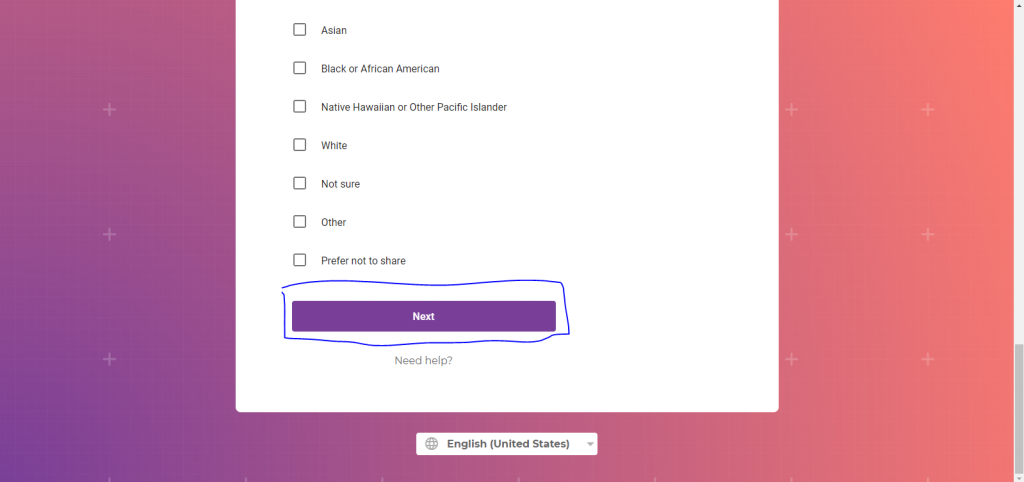
4. Fill out the second personal information survey and click next (make sure to select yes for “Do you live or work in a community setting such as a nursing home, long-term care, homeless shelter, or other assisted-living facility?”
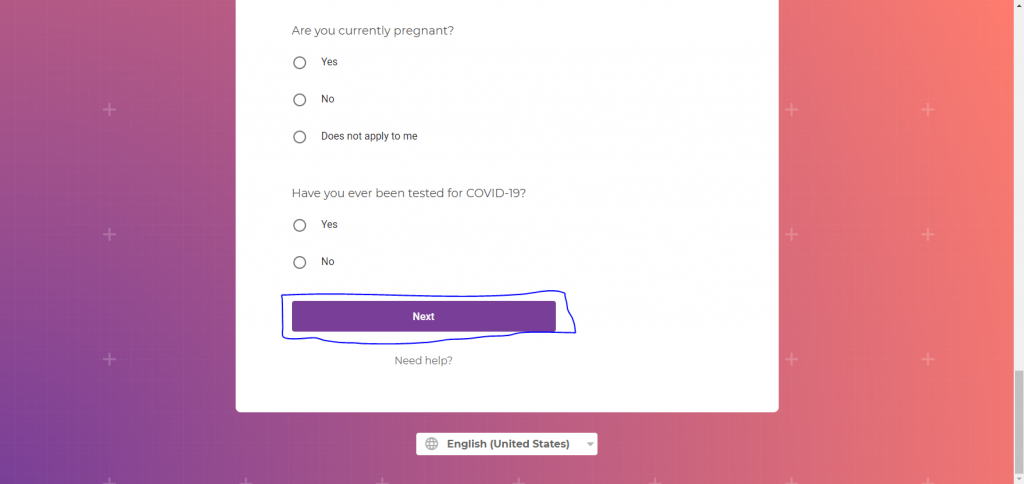
5. Click next after completing the screener and then start Lab Consent Form
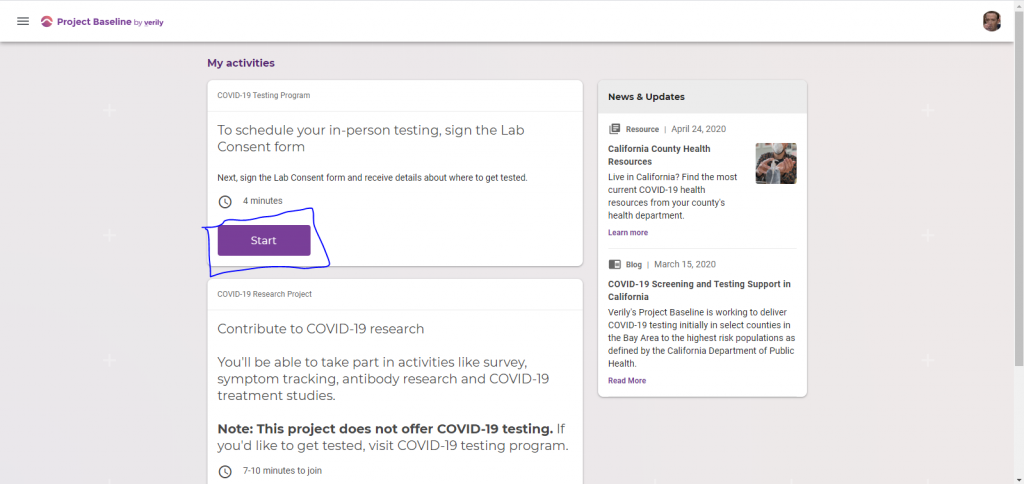
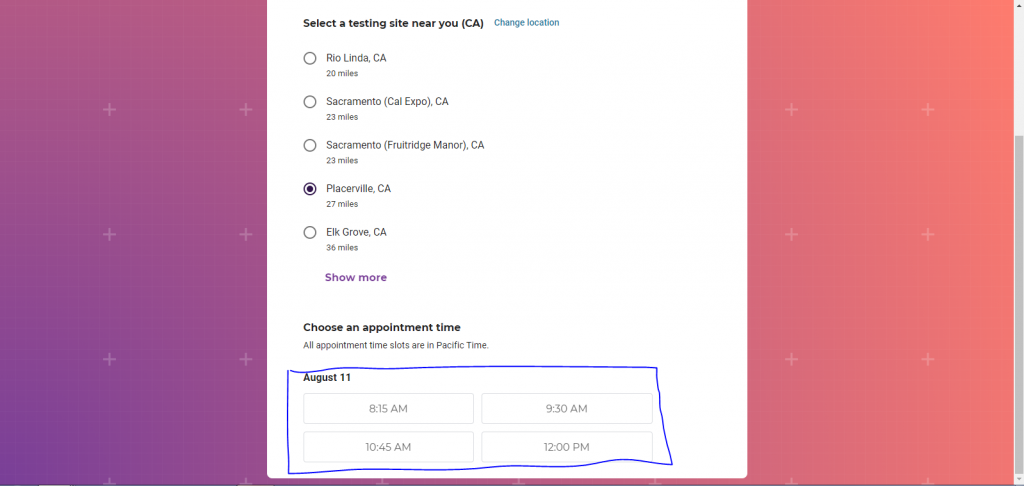
6. After signing the consent form and filling out insurance information, select a location and time for your test to finish the booking process.


Get helpful caregiving tips, advice and articles delivered to your inbox

Sign up to receive valuable information, support and inspiration in your inbox, including helpful advice on caring for you and the ones you love.

Subscribe to Newsletter

Request Home Care
Pricing

The cost for home care depends on your unique situation. Request personalized pricing for the services you need.

Find Care

Find Career
Opportunities

Do you have a heart for service?
We’re hiring people who want to help others have their best day.

Search Jobs

I'm interested in:

Home Care Services

Home Care Jobs

* indicates required fields

1Step 1
2Step 2
3Step 3
This field is for validation purposes and should be left unchanged.
Services needed*
Select all that apply.

Privacy Disclaimer

By clicking "Submit," you agree to our Privacy Policy.

FirstLight is hiring!
Join our team.

View Careers

BackX